
From the Functional Preferences menu, click the plus symbol to expand the CarePlans menu, then select Conditions.
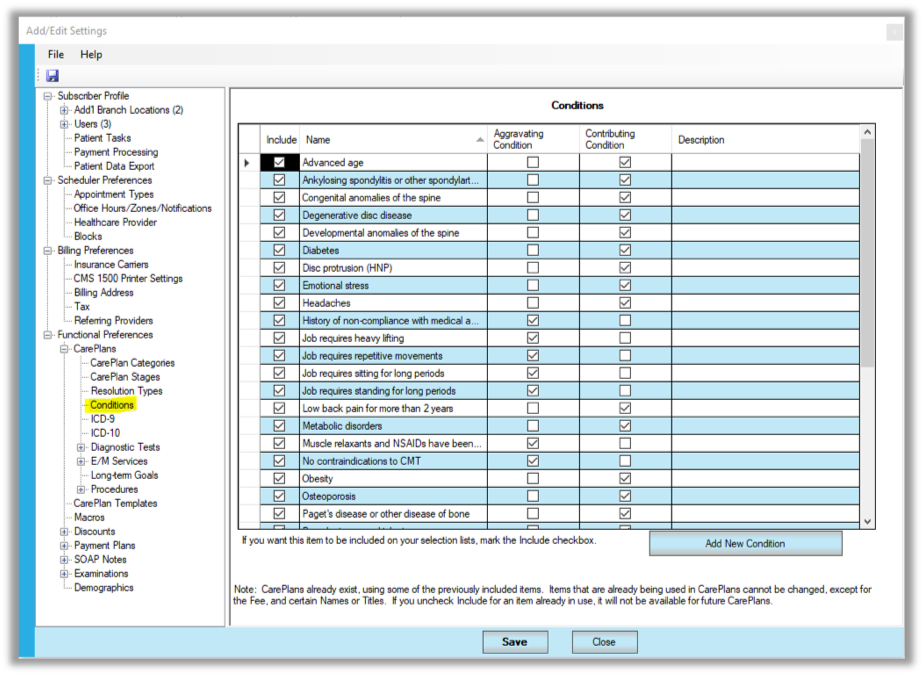
PayDC allows you to select various “aggravating” or “contributing” conditions to be displayed in the Care Plan Narrative as complicating factors.
To add a new condition:
- Click the [Add New Condition] button.
- In the Name field, enter the name of the condition.
- Check the Aggravating Condition and/or Contributing Condition checkboxes.
- In the Description field, enter a longer description if you wish. (This description will appear in the Care Plan Narrative if you check the appropriate box in CarePlan Preferences.)
- Click [Save].
If you want to include a condition in the Care Plan Wizard, check the Include checkbox to the left of the name. To un-include a condition, uncheck the Include checkbox, then click [Save].
You can also add more conditions on the fly in the Care Plan Wizard.
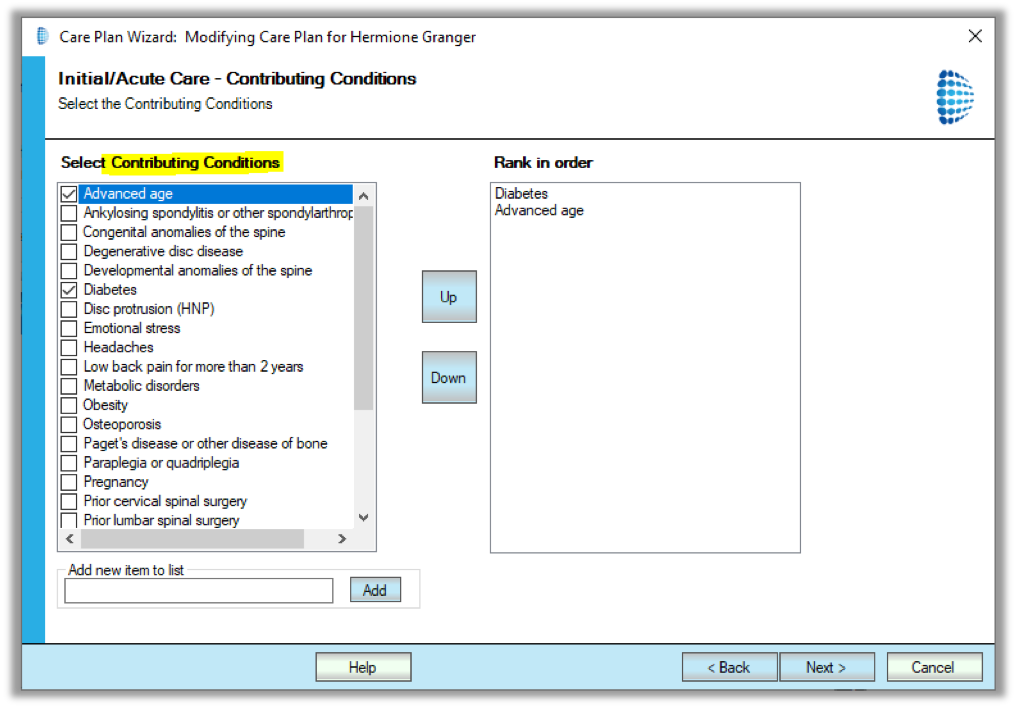
Aggravating Conditions are environmental factors, such as the work the patient does that may inhibit their progress. For example, heavy lifting at their place of employment. Contributing Conditions are typically other diagnoses or problems that complicate the case, such as diabetes. Typically, these are things in addition to the chief complaint that you might not be actively managing. By adding these to the Care Plan Narrative you will help reviewers understand why your case might require unique services or a longer duration to treat.
Watch this tutorial to learn how to set up complicating factors (aggravating and contributing conditions) in your care plan.